

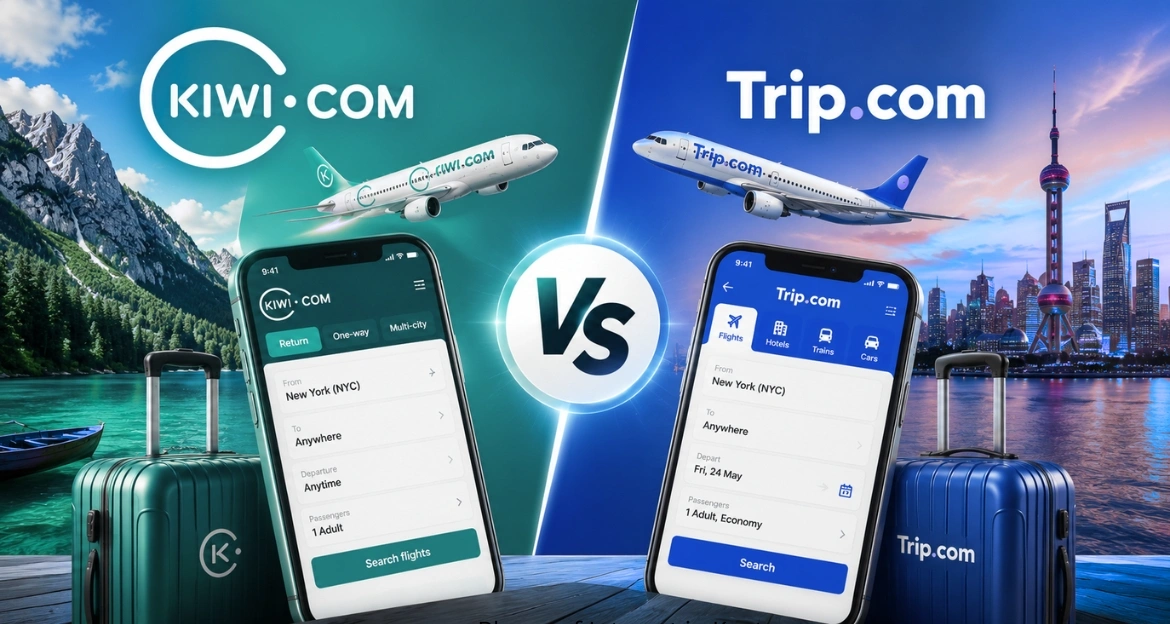
Booking a flight used to mean calling an airline directly or visiting a travel agent’s office. Today, most travelers start with an online travel agency (OTA), and two names come up constantly in that search: Kiwi.com and Trip.com. Anyone comparing Kiwi.com vs Trip.com is usually trying to solve the same problem — get the best possible fare without getting burned by hidden fees, a rigid cancellation policy, or unresponsive support if something goes wrong.
Online travel agencies have grown fast over the past decade because they aggregate fares from dozens of airlines and let travelers build itineraries that a single airline’s website simply can’t offer. But not all OTAs work the same way. Kiwi.com built its reputation on a technology called virtual interlining, which stitches together flights from unrelated airlines to create routes that don’t officially exist elsewhere. Trip.com, on the other hand, positions itself as a full-service travel super-app, bundling flights, hotels, car rentals, and even eSIM data plans into one ecosystem.
Kiwi.com vs Trip.com tends to suit travelers chasing the lowest possible price on complex, multi-city, or off-the-beaten-path routes. Trip.com tends to suit travelers who want a broader set of services, a loyalty program, and a more traditional booking experience with established airline partnerships.
This guide breaks down both platforms across pricing, hidden fees, refund handling, customer support, mobile apps, and legitimacy — using real product details rather than marketing copy — so you can decide which one deserves your business the next time you book a flight.
Kiwi.com vs Trip.com: Quick Comparison
If you only have two minutes, here’s the short version of the Kiwi.com vs Trip.com debate: Kiwi.com generally wins on raw price and route flexibility, especially for multi-city and self-transfer trips, while Trip.com generally wins on service breadth, loyalty perks, and traditional airline-backed bookings.
Quick Comparison
| Feature | Kiwi.com | Trip.com |
|---|---|---|
| Flights | Yes, including virtual interlining across unrelated airlines | Yes, direct airline partnerships and interlining |
| Hotels | Limited hotel booking | Extensive hotel inventory worldwide |
| Cars | Yes, through partners | Yes, wide car rental network |
| Multi-city | Strong, purpose-built search tool | Available, less flexible |
| Mobile App | Functional, focused on booking management | Feature-rich super-app style |
| Refunds | Case-by-case, tied to Kiwi Guarantee | Structured refund workflow by fare type |
| Customer Support | Chat and email, mixed response times | 24/7 multilingual phone and chat |
| Loyalty Program | None in the traditional sense | Trip Coins and membership tiers |
| eSIM | Not offered | Trip.com eSIM available in-app |
| Price Alerts | Yes, with flexible date search | Yes, with fare calendar |
| Travel Protection | Kiwi Guarantee add-on | Trip.com travel protection plans |
| Payment Methods | Cards, PayPal, some local options | Cards, PayPal, Apple Pay, Google Pay, buy-now-pay-later |

What Is Kiwi.com?
Company Background
Kiwi.com launched in 2012 out of Brno, Czech Republic, originally under the name Skypicker. It rebranded to Kiwi.com in 2015 after building a technology stack designed to combine flights from airlines that don’t have formal interline or codeshare agreements with each other.
Countries Served
Kiwi.com operates in dozens of markets across Europe, North America, Asia, and beyond, with localized versions of its site and support in multiple languages.
How Kiwi Works
Instead of only pulling fares from a single airline alliance, Kiwi.com searches across thousands of routes and stitches together separate tickets on different carriers to build a full itinerary. The traveler books one combined trip, but behind the scenes it may consist of two, three, or more independent bookings.
Virtual Interlining Technology
This is Kiwi.com’s core differentiator. Virtual interlining means Kiwi.com vs Trip.com takes on the risk of connecting flights that airlines themselves don’t officially connect. If a delay on the first flight causes a missed connection, the airlines involved have no obligation to rebook you — which is why Kiwi.com built a protection layer around these bookings.
Kiwi Guarantee
The Kiwi Guarantee is an optional add-on purchased at checkout that promises rebooking or a refund if a self-transfer connection is missed due to a delay on the first flight. It’s discussed in more depth later in this guide.
Kiwi.com Milestones
- 2012 — Founded as Skypicker in Brno, Czech Republic
- 2015 — Rebrands to Kiwi.com
- 2016–2019 — Expands virtual interlining coverage to thousands of routes globally
- 2020 — Introduces enhanced Kiwi Guarantee protection during pandemic-era travel disruption
- 2022–2026 — Continues expanding self-transfer network and mobile booking tools
What Is Trip.com?
Company Background
Trip.com is part of Trip.com Group, one of the largest travel companies in the world, with roots tracing back to Ctrip, founded in China in 1999. Trip.com Group also owns Skyscanner, and the Trip.com brand itself focuses on international travelers booking flights, hotels, trains, and car rentals.
Global Presence
Trip.com operates in dozens of countries with localized apps and websites, strong coverage in Asia-Pacific, and a growing international user base in Europe and North America.
Travel Services
Beyond flights, Trip.com offers hotel bookings, train tickets in several countries, airport transfers, car rentals, tours and attractions, and travel insurance — all inside one app.
Loyalty Program
Trip.com runs a tiered membership program that rewards frequent bookers with Trip Coins, which can be redeemed for discounts on future bookings, along with member-only pricing on select hotels and flights.
App Features
The Trip.com app includes real-time flight status tracking, a built-in messaging support system, price alerts, and — notably — an eSIM marketplace for buying mobile data plans before international trips.
Trip.com Company Facts
| Fact | Detail |
|---|---|
| Parent Company | Trip.com Group Ltd. |
| Founded | 1999 (as Ctrip), rebranded internationally as Trip.com in 2017 |
| Headquarters | Singapore (international operations) |
| Sister Brand | Skyscanner |
| Core Services | Flights, hotels, trains, car rentals, tours, insurance, eSIM |

Kiwi.com vs Trip.com Features Comparison
Flight Booking
Both platforms let you book one-way, round-trip, and multi-city flights. Kiwi.com’s search engine is purpose-built for finding unconventional routings, including self-transfer itineraries most other OTAs won’t display. Trip.com leans on established airline interline agreements, which generally means fewer surprises if a connection is missed.
Hotels
Trip.com has a significantly larger hotel inventory, with detailed filtering, verified guest reviews, and member pricing. Kiwi.com offers hotel booking through a partner integration, but it’s clearly a secondary feature next to flights.
Car Rentals
Both offer car rental search through third-party partners, with comparable coverage of major global rental brands.
Airport Transfers
Trip.com includes airport transfer booking directly in its app for many major cities. Kiwi.com vs Trip.com does not offer this as a core feature.
Travel Insurance
Trip.com sells travel protection plans directly at checkout. Kiwi.com’s protection is narrower and centers on the Kiwi Guarantee rather than comprehensive trip insurance.
Vacation Packages
Trip.com supports bundled flight-and-hotel packages with combined pricing. Kiwi.com does not focus on packaged deals.
Price Alerts
Both platforms let you track a route and get notified when fares drop.
Travel Deals
Trip.com regularly runs seasonal promotions and coupon codes across flights and hotels. Kiwi.com occasionally offers fare discounts but promotes deals less aggressively.
Multi-city Trips
This is where Kiwi.com stands out. Its multi-city and “nomad” search tools are built specifically for travelers piecing together complex routes across several countries.
Group Bookings
Both support multi-passenger bookings, though neither platform is specifically optimized for large group travel the way a dedicated group-booking service would be.
Business Travel
Trip.com’s broader service range, invoicing options, and loyalty program make it more practical for frequent business travelers. Kiwi.com is less oriented toward business travel needs like expense reporting.
WINNER BOX: For pure flight-route flexibility and multi-city trips, Kiwi.com vs Trip.com has the edge. For an all-in-one travel platform with hotels, insurance, and loyalty perks, Trip.com wins on breadth.
Flight Search Experience
Search experience matters as much as price, since a confusing interface can cost you time and money. Comparing filters side by side:
- Filters: Both platforms let you filter by stops, airline, baggage allowance, and departure time. Kiwi.com adds a “self-transfer risk” indicator on itineraries involving separate bookings.
- Flexible Dates: Both support a +/- 3-day search window.
- Nearby Airports: Kiwi.com’s “everywhere” and nearby-airport search is more granular, useful for travelers open to driving to a different airport for a cheaper fare.
- Cheapest Month: Both offer a monthly fare calendar view.
- Calendar View: Trip.com’s calendar view integrates hotel pricing alongside flight prices for the same dates, useful for total-trip budgeting.
- Multi-city Planning: Kiwi.com’s multi-city tool is noticeably more flexible, allowing open-ended “nomad” trips with no fixed return.
- Self-transfer Flights: A Kiwi.com specialty — it will surface itineraries combining separate airlines that most competitors don’t show at all.
- One-way Search: Both handle one-way search cleanly, without the round-trip fare penalty some legacy sites still apply.
Screenshot suggestion: side-by-side comparison of the Kiwi.com “Everywhere” search screen and the Trip.com fare calendar view would help readers visualize the difference at a glance.
Pricing Comparison
Average Ticket Prices
On simple point-to-point routes with a single airline, prices between the two platforms are often close, sometimes within a few dollars of each other and of the airline’s own site. The bigger price gap appears on multi-airline or multi-city routes, where Kiwi.com’s virtual interlining frequently produces lower fares because it can mix budget carriers with full-service airlines in ways other OTAs don’t attempt.
Exclusive Discounts
Trip.com runs member-only pricing for logged-in users and seasonal sales tied to major shopping events. Kiwi.com’s discounts are less frequent and less publicized.
Coupon Availability
Trip.com’s coupon codes are easier to find and apply at checkout. Kiwi.com vs Trip.com rarely issues public coupon codes.
Price Match
Neither platform offers a formal price-match guarantee comparable to what some hotel booking sites provide.
Booking Fees
Kiwi.com charges a booking fee that varies by itinerary complexity, which is sometimes bundled into the displayed fare and sometimes shown separately, depending on the route. Trip.com’s service fees tend to be more clearly itemized at checkout.
Currency Conversion
Both platforms allow browsing and paying in multiple currencies, but currency conversion fees can apply depending on your card issuer, not just the platform.
Taxes
Airline taxes and airport fees are passed through on both platforms and shown before final payment.
Dynamic Pricing
Fares on both sites change based on demand and availability in real time, consistent with the way airline inventory pricing works industry-wide.
Airfare Comparison (Sample Routes)
| Route Type | Kiwi.com Typical Result | Trip.com Typical Result |
|---|---|---|
| Single-airline, point-to-point | Comparable to airline site | Comparable to airline site |
| Two airlines, one stop | Often lower due to interlining | Slightly higher, but with rebooking protection |
| Multi-city, 3+ segments | Frequently the cheapest option | Fewer flexible multi-city combinations shown |
| Long-haul with layover | Competitive | Competitive, plus loyalty point earning |

Hidden Fees Explained
Hidden fees are one of the most searched concerns for both platforms, and for good reason — they can turn an apparently cheap fare into an expensive one.
- Change Fees: Kiwi.com’s change fees vary depending on the airline and fare rules of each segment, and can be higher for multi-airline itineraries since each segment may need to be changed separately. Trip.com’s change fees follow the original airline’s fare rules more directly.
- Cancellation Fees: Both charge a service fee on top of whatever the airline’s own cancellation policy allows.
- Seat Selection: Both charge airline-set seat selection fees where the airline itself charges for seats.
- Checked Bags: Baggage fees are set by the airline, but Kiwi.com vs Trip.com multi-airline itineraries can mean different baggage allowances on each leg, which travelers sometimes miss when booking.
- Payment Charges: Kiwi.com has, in the past, charged a card payment processing fee depending on the payment method; Trip.com generally shows the total price with payment fees, if any, disclosed at checkout.
- Currency Fees: Both can involve currency conversion charges depending on the currency selected versus your card’s home currency.
Hidden Fees Comparison
| Fee Type | Kiwi.com | Trip.com |
|---|---|---|
| Change Fee | Varies by segment/airline | Follows airline fare rules |
| Cancellation Fee | Service fee + airline penalty | Service fee + airline penalty |
| Payment Fee | Sometimes applies | Rarely applies |
| Multi-segment Baggage Confusion | Possible with self-transfer | Less common with interline tickets |
Booking Flexibility
Date Changes
Trip.com’s date-change process mirrors the airline’s own rules closely, since most bookings are single-airline or officially interlined. Kiwi.com’s date changes on self-transfer itineraries require changing each segment individually, which can be slower and costlier.
Flight Changes
Both allow flight changes subject to fare rules; Trip.com’s process is generally more transparent for standard interlined tickets.
Refundable Tickets
Both platforms display whether a fare is refundable before you book, pulled directly from the airline’s fare class.
Free Cancellation
Trip.com highlights “free cancellation” fares more prominently in search results. Kiwi.com vs Trip.com shows this too, but less consistently across all route types.
Flexible Booking Options
Trip.com offers a “book now, pay later” style hold option on some routes. Kiwi.com does not typically offer fare holds.
WINNER VERDICT: Trip.com offers more predictable flexibility for standard bookings. Kiwi.com’s flexibility is real but comes with more manual steps on multi-airline itineraries.
Customer Support Comparison
- Phone: Trip.com offers 24/7 phone support in multiple languages. Kiwi.com’s phone support is more limited and often routes through chat first.
- Live Chat: Both offer live chat, though Trip.com’s response times are generally faster during peak hours.
- Email: Both support email-based ticket support for non-urgent issues.
- Languages: Trip.com supports a wider range of languages across its support channels.
- Response Time: Trip.com’s live agents typically respond faster; Kiwi.com can be slower during high-volume disruption periods.
- Availability: Trip.com advertises 24/7 support; Kiwi.com’s availability varies by support channel and region.
- Support During Flight Delays: This is critical for self-transfer itineraries. Kiwi.com vs Trip.com support team handles Kiwi Guarantee claims, but travelers report mixed experiences with speed during major disruption events. Trip.com’s support benefits from more direct airline relationships during delays.
Customer Support Comparison
| Channel | Kiwi.com | Trip.com |
|---|---|---|
| Phone | Limited, region-dependent | 24/7 multilingual |
| Live Chat | Available | Available, faster average response |
| Available | Available | |
| Disruption Support | Tied to Kiwi Guarantee terms | Tied to airline + Trip.com policy |
Mobile App Experience
- Android: Both apps are available on Google Play with strong overall ratings.
- iPhone: Both apps are available on the App Store with regular update cycles.
- Booking Management: Trip.com’s app consolidates flights, hotels, and eSIM purchases in one dashboard. Kiwi.com’s app is more narrowly focused on flight booking and itinerary management.
- Push Notifications: Both send gate changes, delay alerts, and check-in reminders.
- Offline Boarding Pass: Both support offline access to boarding passes and itinerary details.
- Real-time Updates: Trip.com’s app includes more granular real-time flight tracking features tied into its broader travel dashboard.
App Ratings Comparison
| Platform | Kiwi.com App | Trip.com App |
|---|---|---|
| Focus | Flight booking & itinerary management | Full travel super-app |
| Extra Features | Self-transfer alerts | eSIM, hotel, loyalty dashboard, in-app chat support |

Refund, Cancellation & Flight Changes
Refund Process
On Kiwi.com, refund eligibility depends on the fare rules of each segment, since multi-airline itineraries are technically separate bookings stitched together. On Trip.com, refunds generally follow the original airline’s policy more directly, since most bookings are single-airline or officially interlined.
Flight Delay
If an airline delays a flight and you have a single-airline itinerary, refund and rebooking rights come from that airline’s own policy on both platforms. The difference shows up on multi-airline Kiwi.com vs Trip.com itineraries, where the airlines involved aren’t obligated to protect your onward connection — which is exactly the gap the Kiwi Guarantee is designed to cover.
Missed Connection
A missed connection on an officially interlined Trip.com booking typically triggers automatic rebooking by the airline. A missed connection on a Kiwi.com vs Trip.com self-transfer itinerary without the Kiwi Guarantee purchased can leave the traveler responsible for booking a new onward flight.
Airline Changes
Both platforms pass along schedule changes made by the airline and notify travelers, though the speed of notification can vary.
Compensation
Where applicable regulations (such as EU261 in Europe) apply, compensation claims typically go through the operating airline rather than the booking platform, regardless of whether you booked through Kiwi.com or Trip.com.
Processing Time
Refund processing timelines are largely dictated by the airline and original payment method, generally ranging from a few business days to several weeks on both platforms.
Real-life Examples
A traveler booking a two-airline self-transfer itinerary from Bangkok to Lisbon on Kiwi.com with a short connection window would be a strong candidate for the Kiwi Guarantee, since a delay on the first leg could otherwise mean paying out of pocket for a new connecting flight. A traveler booking a single-airline round trip from New York to London on Trip.com would generally be covered directly by the airline’s own delay and rebooking policy without needing an add-on.
FLOWCHART SUGGESTION: A simple decision flowchart — “Is your itinerary self-transfer (multiple bookings)?” branching to “Consider Kiwi Guarantee” versus “Rely on airline policy” — would help illustrate this section visually.

Kiwi Guarantee Explained
The Kiwi Guarantee is one of the most searched and least understood parts of booking with Kiwi.com, largely because it only matters for self-transfer itineraries.
Coverage
When purchased, it protects against missed connections caused by a delay on an earlier flight within your itinerary, offering rebooking onto the next available flight or a refund if no reasonable alternative exists.
Limitations
It generally doesn’t cover connections that were always too tight to be realistic, cancellations caused by factors outside the airline’s control in some cases, or issues on tickets not booked through Kiwi.com vs Trip.com self-transfer system.
Eligibility
Eligibility depends on the specific itinerary and connection time at booking; Kiwi.com flags which itineraries qualify at checkout.
Claims Process
Claims are typically filed through the Kiwi.com vs Trip.com app or website with proof of the delay, after which the support team reviews and processes rebooking or refund.
Pros
- Fills a real protection gap for multi-airline bookings
- Can save significant money and stress compared to rebooking out of pocket
- Integrated directly into the checkout flow
Cons
- Added cost on top of the base fare
- Coverage terms and exclusions require careful reading
- Claims can take time to process during high-disruption periods
DECISION BOX: If you’re booking a self-transfer itinerary with a connection time under a few hours, the Kiwi Guarantee is generally worth the added cost. If your itinerary is a single airline or officially interlined, you likely don’t need it.
Travel Protection & Insurance
Travel Protection Comparison
| Coverage Area | Kiwi.com | Trip.com |
|---|---|---|
| Medical | Not included by default | Available as add-on insurance |
| Trip Delay | Covered under Kiwi Guarantee (self-transfer only) | Available as add-on insurance |
| Lost Luggage | Not covered by platform | Available as add-on insurance |
| Missed Flights | Covered under Kiwi Guarantee (self-transfer only) | Available as add-on insurance |
Trip.com’s insurance add-ons are broader in scope, covering categories like medical emergencies and lost luggage that Kiwi.com vs Trip.com guarantee doesn’t touch at all. Kiwi.com’s protection is narrower but directly targeted at the specific risk its own booking model creates.

Hotels, Cars & Vacation Packages
Hotels
Trip.com’s hotel inventory is extensive, with verified reviews, member pricing, and flexible cancellation filters. Kiwi.com’s hotel search exists but is clearly secondary to its flight engine.
Vacation Deals
Trip.com bundles flights and hotels for combined savings on many routes. Kiwi.com vs Trip.com does not offer bundled vacation packages.
Rental Cars
Both platforms provide car rental search through partner networks with comparable global coverage.
Airport Pickup
Trip.com offers in-app airport transfer booking in many cities; Kiwi.com does not.
Package Discounts
Trip.com’s bundling can produce meaningful savings versus booking flights and hotels separately. Kiwi.com travelers looking for package deals will generally need to book hotels through a separate service.
Rewards Programs
- Trip Coins: Trip.com’s loyalty currency, earned on eligible bookings and redeemable for discounts on future trips.
- Coupons: Trip.com issues periodic coupon codes tied to promotions; Kiwi.com vs Trip.com does this far less often.
- Referral Rewards: Trip.com offers referral incentives for inviting friends; Kiwi.com does not have a comparable program.
- Member Pricing: Trip.com shows lower prices to logged-in members on select listings; Kiwi.com’s pricing does not vary by membership status.
- Cashback: Available through some third-party cashback portals for both platforms, though this depends on the portal rather than the OTA itself.
Kiwi.com vs Trip.com simply doesn’t run a loyalty program in the traditional sense, which is a deliberate trade-off — its focus stays on fare-finding technology rather than repeat-customer rewards.
Payment Methods
Payment Methods Comparison
| Method | Kiwi.com | Trip.com |
|---|---|---|
| Visa/Mastercard | Yes | Yes |
| PayPal | Yes | Yes |
| Apple Pay | Limited availability | Yes |
| Google Pay | Limited availability | Yes |
| Buy Now Pay Later | Not typically offered | Available in select markets |
| Local Payment Options | Varies by country | Broader local payment support in Asia-Pacific markets |
Trip.com generally supports a wider range of digital wallets and buy-now-pay-later options, particularly for travelers booking from Asia-Pacific markets.

Trip.com eSIM — Is It Worth Using?
The Trip.com eSIM feature is one of the platform’s most useful additions for international travelers, and it’s something Kiwi.com vs Trip.com doesn’t offer at all.
Coverage
Trip.com eSIM plans cover a large number of countries and regions, with both single-country and multi-country regional plans available.
Countries
Coverage spans most major travel destinations across Asia, Europe, the Americas, and beyond, though exact country lists vary by plan.
Pricing
Pricing is generally competitive with other travel eSIM providers, based on data allowance and trip duration rather than a flat rate.
Activation
Activation happens digitally through the Trip.com app before departure, with a QR code or direct install, meaning no physical SIM swap is required.
Benefits
- No need to hunt for a local SIM card on arrival
- Keep your home number active alongside a data-only eSIM
- Purchase directly alongside your flight booking in the same app
Who Should Use It
International travelers who don’t already have a preferred eSIM or roaming provider, and who want the convenience of buying data in the same app they used to book their flight, are the best fit for this feature. Travelers with an existing eSIM provider they trust may not see much added value.

User Reviews & Ratings
Trustpilot
Both platforms have large volumes of Trustpilot reviews, with ratings that vary significantly based on whether the reviewer’s trip went smoothly or involved a disruption — a pattern common across most OTAs, not unique to either company.
App Store
App Store ratings for both apps tend to sit in a similar range, with common praise for ease of search and common criticism around support responsiveness during disruptions.
Google Play
Google Play reviews follow a similar pattern to the App Store for both platforms.
Customer Satisfaction
Positive reviews for Kiwi.com vs Trip.com frequently mention successful use of complex multi-city itineraries at low prices. Positive reviews for Trip.com frequently mention smooth booking, helpful support, and useful loyalty perks.
Common Complaints
Kiwi.com vs Trip.com complaints relate to refund processing time for airline-driven cancellations, which is generally an airline policy issue rather than a Trip. com-specific one.
Most Loved Features
Kiwi.com vs Trip.com: price and route flexibility. Trip.com: all-in-one convenience and support availability.
Ratings Snapshot
| Source | Kiwi.com | Trip.com |
|---|---|---|
| Trustpilot | Mixed, disruption-sensitive | Mixed, disruption-sensitive |
| App Store | Generally positive | Generally positive |
| Google Play | Generally positive | Generally positive |

Is Kiwi.com Legit?
Yes, Is Kiwi.com legit is a fair question given how unfamiliar virtual interlining can feel to first-time users, but Kiwi.com vs Trip.com is a legitimate, established travel booking company that has operated since 2012.
Licensing
Kiwi.com operates as a registered travel agency subject to the regulatory requirements of the jurisdictions it operates in.
Years in Business
Over a decade in operation, with millions of bookings processed across its self-transfer network.
Security
Kiwi.com vs Trip.com uses standard payment encryption and secure checkout processes consistent with other major OTAs.
Verified Payments
Payments are processed through established, PCI-compliant payment providers.
Real Customer Experiences
The overwhelming majority of straightforward bookings — single airline, no disruption — complete without issue. Complaints concentrate around the specific self-transfer risk scenario the platform is built around, not around fraud or non-delivery of the underlying flights.
Pros
- Established, long-running business
- Transparent about self-transfer risk with the Kiwi Guarantee option
- Strong track record of processing millions of bookings
Cons
- Self-transfer model requires extra traveler awareness
- Support can be slower during major disruption events
VERDICT: Kiwi.com vs Trip.com is legitimate. The real question isn’t whether it’s a scam — it isn’t — but whether its self-transfer model fits your risk tolerance for a given trip.

Is Kiwi.com Reliable for Flights?
Is Kiwi.com reliable for flights depends heavily on the type of itinerary you book.
Booking Accuracy
Standard single-airline bookings through Kiwi.com vs Trip.com are processed the same way as on any other OTA, drawing directly from the airline’s own inventory.
Missed Connections
Reliability concerns are concentrated on self-transfer itineraries, where a delay on one airline has no automatic protection from a second, unrelated airline — this is the scenario the Kiwi Guarantee exists to address.
Guarantee
Purchasing the Kiwi Guarantee on eligible self-transfer bookings substantially reduces the practical risk of being stranded or paying out of pocket for a missed connection.
Reliability Score
For single-airline bookings: high reliability, comparable to booking direct. For self-transfer bookings without the Kiwi Guarantee: lower reliability due to the lack of built-in airline protection. For self-transfer bookings with the Kiwi Guarantee: reliability improves significantly.
Best Use Cases
Kiwi.com vs Trip.com is most reliable — and most valuable — for travelers who either book single-airline routes or knowingly opt into the Kiwi Guarantee on complex multi-airline itineraries.

Is Trip.com Legit?
Is Trip.com legit is a common question mainly because of unfamiliarity with Trip.com Group outside its core Asia-Pacific markets, but the company is one of the largest travel businesses in the world.
Ownership
Trip.com is owned by Trip.com Group Ltd., a publicly traded company that also owns Skyscanner.
Security
Trip.com uses standard encrypted checkout and secure payment processing in line with major global OTAs.
Booking Success
The vast majority of Trip.com bookings are standard single-airline or officially interlined itineraries, which reduces the kind of complexity-related risk seen with self-transfer bookings.
Global Recognition
Trip.com Group is a large, publicly known travel company with a long operating history and broad brand recognition, particularly strong across Asia-Pacific and growing internationally.
Industry Reputation
The company is generally regarded as a mainstream, established player in the global OTA market rather than a niche or unfamiliar operator.
Is Trip.com Legit for Flights?
Is Trip.com legit for flights specifically comes down to how it handles the actual ticketing and airline relationship, not just the company’s overall legitimacy.
Flight Reliability
Because most Trip.com flight bookings rely on official airline interline agreements rather than stitched-together self-transfer tickets, the airline itself generally takes responsibility for rebooking during disruptions.
Airline Partnerships
Trip.com maintains direct commercial relationships with a large number of airlines globally, which supports more consistent ticketing and post-booking service.
Refund Experience
Refunds for airline-cancelled flights generally flow through the airline’s own policy, with Trip.com facilitating the process rather than acting as the sole decision-maker.
Support
Trip.com’s 24/7 multilingual support is available to assist with flight-specific issues, including delays, cancellations, and rebooking questions.
Overall Trust Score
For standard flight bookings, Trip.com is a reliable, trustworthy choice backed by established airline relationships and a global support structure.
Pros & Cons
Kiwi.com vs Trip.com Pros and Cons
| Advantages | Disadvantages |
|---|---|
| Strong virtual interlining for complex routes | Self-transfer risk without Kiwi Guarantee |
| Often cheapest option on multi-city trips | No traditional loyalty program |
| Flexible “everywhere” and nomad search tools | Support can be slower during disruptions |
| Kiwi Guarantee available for extra protection | Change/cancellation process more complex on multi-airline bookings |
Trip.com Pros and Cons
| Advantages | Disadvantages |
|---|---|
| Broad service range: flights, hotels, cars, eSIM, insurance | Less specialized for ultra-complex multi-city routing |
| 24/7 multilingual customer support | Fewer aggressive fare combinations vs. Kiwi.com |
| Trip Coins loyalty program and member pricing | Loyalty perks matter less for one-time travelers |
| Trip.com eSIM adds real convenience | Slightly less deal-focused than Kiwi.com vs Trip.com on niche routes |

Which Platform Is Better for Different Travelers?
Best Choice by Traveler Type
| Traveler Type | Best Choice | Why |
|---|---|---|
| Budget Travelers | Kiwi.com | Virtual interlining often finds the lowest total fare |
| Families | Trip.com | Broader support, bundled hotel options, clearer refund process |
| Solo Travelers | Kiwi.com | Flexible “everywhere” search suits spontaneous, low-cost trips |
| Backpackers | Kiwi.com | Multi-city “nomad” tool fits open-ended, multi-stop travel |
| Business Travelers | Trip.com | 24/7 support, loyalty program, and broader service ecosystem |
| Luxury Travelers | Trip.com | Wider hotel inventory and bundled package options |
| International Travelers | Trip.com | Trip.com eSIM, global airline partnerships, multilingual support |
| Students | Kiwi.com | Price-focused search fits tighter budgets |
| Digital Nomads | Kiwi.com | Multi-city, open-return routing built for long, flexible trips |
| Frequent Flyers | Trip.com | Trip Coins loyalty program rewards repeat bookings |
Final Verdict — Kiwi.com vs Trip.com
There’s no single winner in the Kiwi.com vs Trip.com comparison because the two platforms are built around different priorities. Kiwi.com wins on price and route flexibility, especially for multi-city and self-transfer trips where its virtual interlining technology can produce combinations no other OTA offers. Trip.com wins on breadth, support, and predictability, backed by a loyalty program, wider hotel inventory, and the added convenience of Trip.com eSIM.
- Overall Winner: Depends on trip type — Kiwi.com for complex, budget-driven routing; Trip.com for standard, service-rich bookings.
- Best Value: Kiwi.com, for multi-airline and multi-city fares.
- Best Customer Support: Trip.com, with 24/7 multilingual availability.
- Best Prices: Kiwi.com, on complex routes; roughly tied on simple point-to-point fares.
- Best Mobile App: Trip.com, for its all-in-one dashboard.
- Best Multi-city Booking: Kiwi.com, by a clear margin.
- Best for International Flights: Trip.com, thanks to airline partnerships, eSIM, and multilingual support.
EDITOR’S RECOMMENDATION: If your trip involves a single airline or a standard round trip, either platform will serve you well, and Trip.com’s support and loyalty perks may tip the balance. If your trip involves multiple cities, budget airlines, or an unconventional route, Kiwi.com’s search technology is worth the extra homework required to understand self-transfer risk and the Kiwi Guarantee.
Decision Matrix
| Priority | Recommended Platform |
|---|---|
| Lowest possible fare on a complex route | Kiwi.com |
| Predictable single-airline booking | Trip.com |
| 24/7 support access | Trip.com |
| Multi-city or open-ended travel | Kiwi.com |
| Loyalty rewards for frequent travel | Trip.com |
| Bundled flight + hotel savings | Trip.com |
| International data/eSIM convenience | Trip.com |

Conclusion
Choosing between Kiwi.com vs Trip.com ultimately comes down to how you travel, not which brand is “better” in the abstract. Kiwi.com’s virtual interlining technology makes it a strong pick for travelers chasing the lowest fare on multi-city or off-the-beaten-path itineraries, particularly when paired with the Kiwi Guarantee for extra protection on self-transfer connections. Trip.com, backed by Trip.com Group’s global scale, is built for travelers who want a more comprehensive service — hotels, car rentals, travel insurance, Trip.com eSIM, and a loyalty program — wrapped around dependable, mostly single-airline or officially interlined flight bookings.
If price and route flexibility matter most to you, especially on complex trips, Kiwi.com is worth exploring, as long as you understand how self-transfer bookings work and factor in the Kiwi Guarantee where relevant. If you value transparent booking details, strong customer support, and a broader set of travel services in one app, Trip.com is the more comprehensive choice.
Whichever platform you choose, the same advice applies: compare prices across both before booking, read the fare conditions carefully — especially around baggage, changes, and cancellation — and factor in the real cost of any add-on protection. Booking with confidence isn’t about picking the “best” OTA overall; it’s about picking the right one for the specific trip in front of you.
FAQs
Q1: Is Kiwi.com or Trip.com better for international flights?
Ans: Trip.com generally has the edge for international flights thanks to its broader airline partnerships, 24/7 multilingual support, and Trip.com eSIM feature, while Kiwi.com can still be worth checking for international routes that benefit from virtual interlining and multi-city pricing.
Q2: Is Kiwi.com legit for booking flights?
Ans: Yes. Kiwi.com is a legitimate, established travel agency that has operated since 2012, with standard secure payment processing and a long track record of processed bookings.
Q3: Is Kiwi.com reliable for connecting flights?
Ans: It’s reliable for connections booked on a single ticket through one airline or an official interline agreement; reliability drops for self-transfer connections between unrelated airlines unless you add the Kiwi Guarantee.
Q4: Is Trip.com legit for flights?
Ans: Â Yes. Trip.com is backed by Trip.com Group, a major publicly traded travel company, and most flight bookings rely on established airline interline agreements rather than self-transfer arrangements.
Q5: Does Trip.com charge booking fees?
Ans: Â Trip.com discloses its service fees, if any, during checkout before payment, and pricing is generally itemized clearly alongside the airline fare and taxes.
Q6: Does Kiwi.com offer refunds for canceled flights?
Ans: Â Refund eligibility depends on the fare rules of each segment in your itinerary; airline-cancelled flights are typically refundable, while voluntary cancellations follow the fare type’s specific refund policy.